How to Turn On Double Opt-In in systeme.io
Double opt-in in systeme.io is a per-form setting — there is no account-wide switch. Open your funnel's opt-in page in the editor, click the form, open its settings, and check the double opt-in box. Every new subscriber then gets a confirmation email ("Important: confirm your subscription") and must click the link to complete their subscription — until then they sit unconfirmed, and systeme.io deletes unconfirmed contacts after 24 hours. We verified this working end to end with real test signups in October 2026.
The short how
1. In systeme.io, go to Funnels and open your funnel.
2. Open the opt-in page in the page editor.
3. Click the form element to select it.
4. In the settings panel, find the double opt-in checkbox.
5. Check it, then save the page.
6. Repeat for every other opt-in form in the funnel — each form has its own independent setting.
7. Test it: submit the form with your own email address.
8. Confirm the confirmation email arrives, click its link, and check the contact shows as confirmed/subscribed in Contacts.
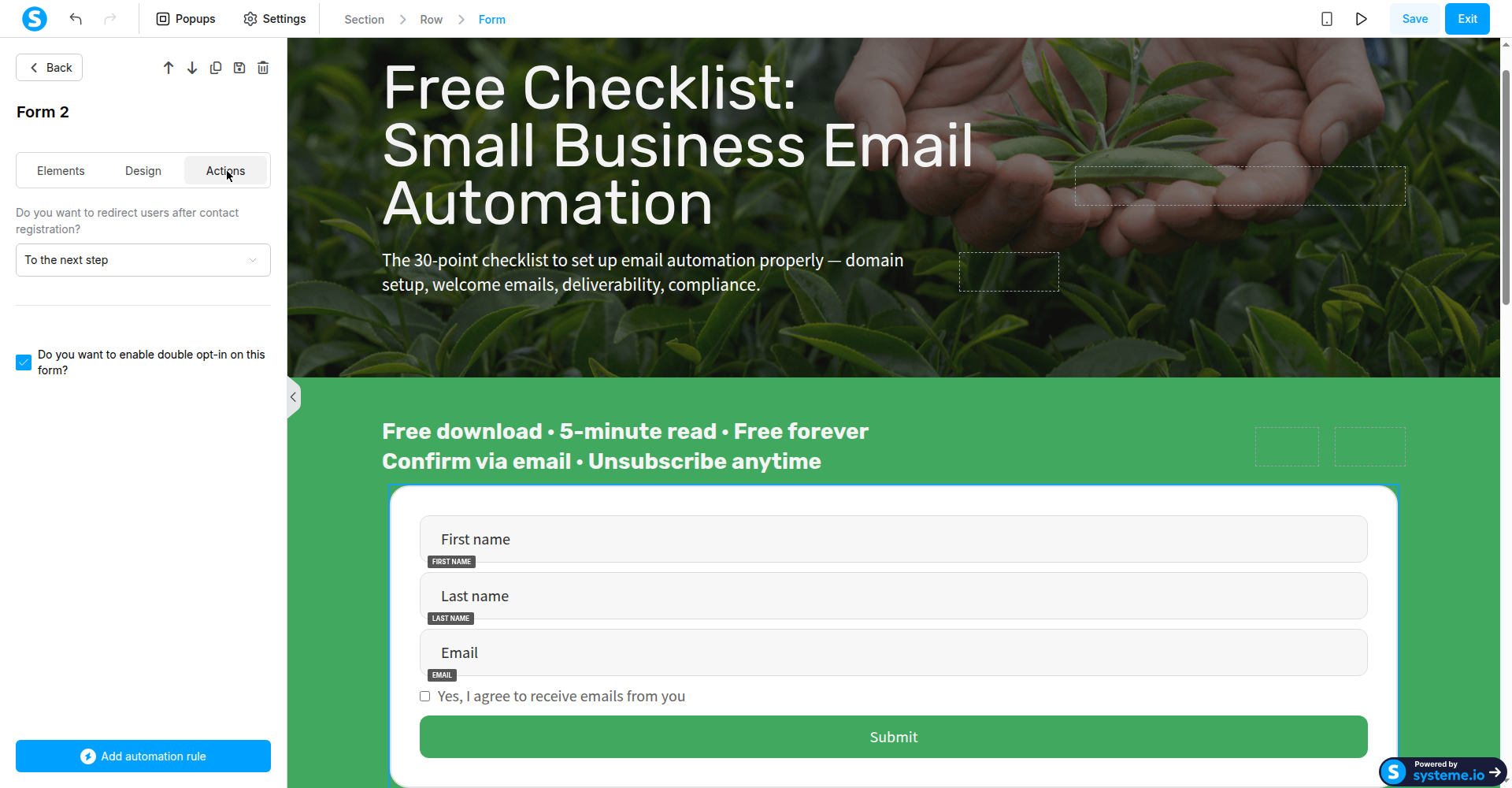
Screenshot: the form's settings with double opt-in checked, October 2026.
The catch
Because there's no account-wide toggle, it's easy to believe you've "turned on double opt-in" when you've only enabled it on one form — every additional form silently collects single opt-in addresses until you check its box too. Two more things worth knowing: confirmation links are single-use with no resend button, and contacts who never confirm are auto-deleted after 24 hours.
Go deeper
Double opt-in changes how your automations behave — We found the standard "email the freebie" automation silently fails with it on. Here's the tested setup that actually works, with proof from 6 real signups: How to Set Up Email Automation in systeme.io (Tested End to End)
Steps verified October 2026. Screenshot is original, taken in a real systeme.io account.